Kogama: Hop Block Parkour Online Arcade Game
Reviews
Description
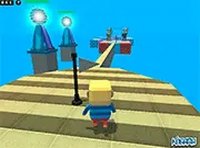
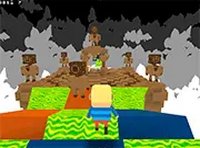
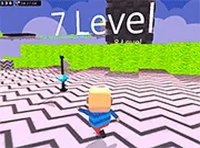
Kogama: Hop Block is an online 3D parkour game that challenges players to navigate a series of floating platforms and obstacles. The objective is straightforward: reach the flag at the end of each course without falling off the blocks. The game features vibrant, block-style graphics and smooth controls that make every jump feel responsive. Designed for desktop browsers, it is completely free to play and requires no downloads. Players can enjoy the game alone or compete with others in real-time multiplayer mode. The courses increase in difficulty, encouraging players to improve their timing and agility. Whether you are new to parkour games or experienced, Kogama: Hop Block provides a welcoming environment to test your skills and have fun.
To play Kogama: Hop Block on your desktop, use the keyboard. The arrow keys or WASD keys control your character's movement left, right, forward, and backward. Press the spacebar to jump over gaps and onto platforms. Your goal is to reach the flag at the end of each level without falling off the blocks. You can switch to full screen mode for a more immersive view. The game also allows you to compete with friends online to see who finishes the course fastest. A keyboard or mouse is recommended for the best experience. The controls are easy to learn, making it accessible for players of all skill levels.
The game is free to play in your browser. It features 3D multiplayer parkour action with simple keyboard controls. A full screen mode is available for better visibility. The courses are designed to be challenging yet fair, promoting skill improvement over time.
Kogama: Hop Block is ideal for quick gaming sessions. Its clean design and straightforward mechanics make it easy to pick up and play. The multiplayer aspect adds replay value as you can race against friends and try to beat their times.
❓ Having issues?
✅ This game supports: - Desktop browsers (Chrome, Edge, Safari) - Mobile browsers (Chrome on Android, Safari on iOS) ❌ Does NOT support: - Internet Explorer - Very old browser versions 👉 Try refreshing or updating your browser