

Theme and Visual Style
The entire experience centers around a bright, fruit-inspired aesthetic. Players work with a palette of tropical colors, from lime greens to berry pinks. Each outfit and makeup option ties back to this central theme, making every styling session feel cohesive. The visual design uses soft, friendly illustrations that appeal to a broad age range. Backgrounds and character models maintain a cheerful tone throughout.
Character Selection and Preparation
Before any styling begins, players choose from a small group of characters. Each character has a neutral base that allows for full customization. This selection step sets the stage for the creative work ahead. The interface makes it simple to switch between characters if a player wants to try multiple approaches.
Makeup and Color Matching
Makeup application forms a core part of the process. Players browse through options like lip colors, eye shadows, and cheek tints. The fruit theme influences the available shades, with options like mango orange or blueberry violet. The system encourages trying unexpected color pairings to see how they look together. There are no penalties for unusual choices, so experimentation feels low-pressure.
Outfit Assembly and Accessories
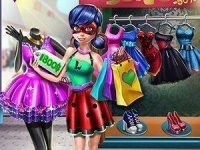
After finishing the makeup, players move to clothing selection. The wardrobe includes dresses, tops, skirts, and pants, all designed with fruit motifs or complementary solid colors. Accessories such as hats, bags, and jewelry add final touches. The mix-and-match system allows for hundreds of potential combinations. Players can layer items to create layered looks or keep things simple with a single statement piece.
Controls and Accessibility
The game uses tap or click controls that work on both touchscreens and mouse inputs. Buttons are large and clearly labeled, reducing confusion. A full-screen mode is available for players who want a more focused view. The interface does not include timers or score counters, so players can take as long as they like. This design makes the game suitable for younger players or anyone looking for a relaxed activity.
Sharing and Saving Creations
Once an outfit is complete, players have options to save their work or share it. The sharing feature lets friends see the final look, which can spark ideas for new combinations. Saving allows players to return to their favorite designs later. This adds a small social layer without requiring accounts or personal information. The focus stays on personal expression rather than competition.


Comments
0 comments